
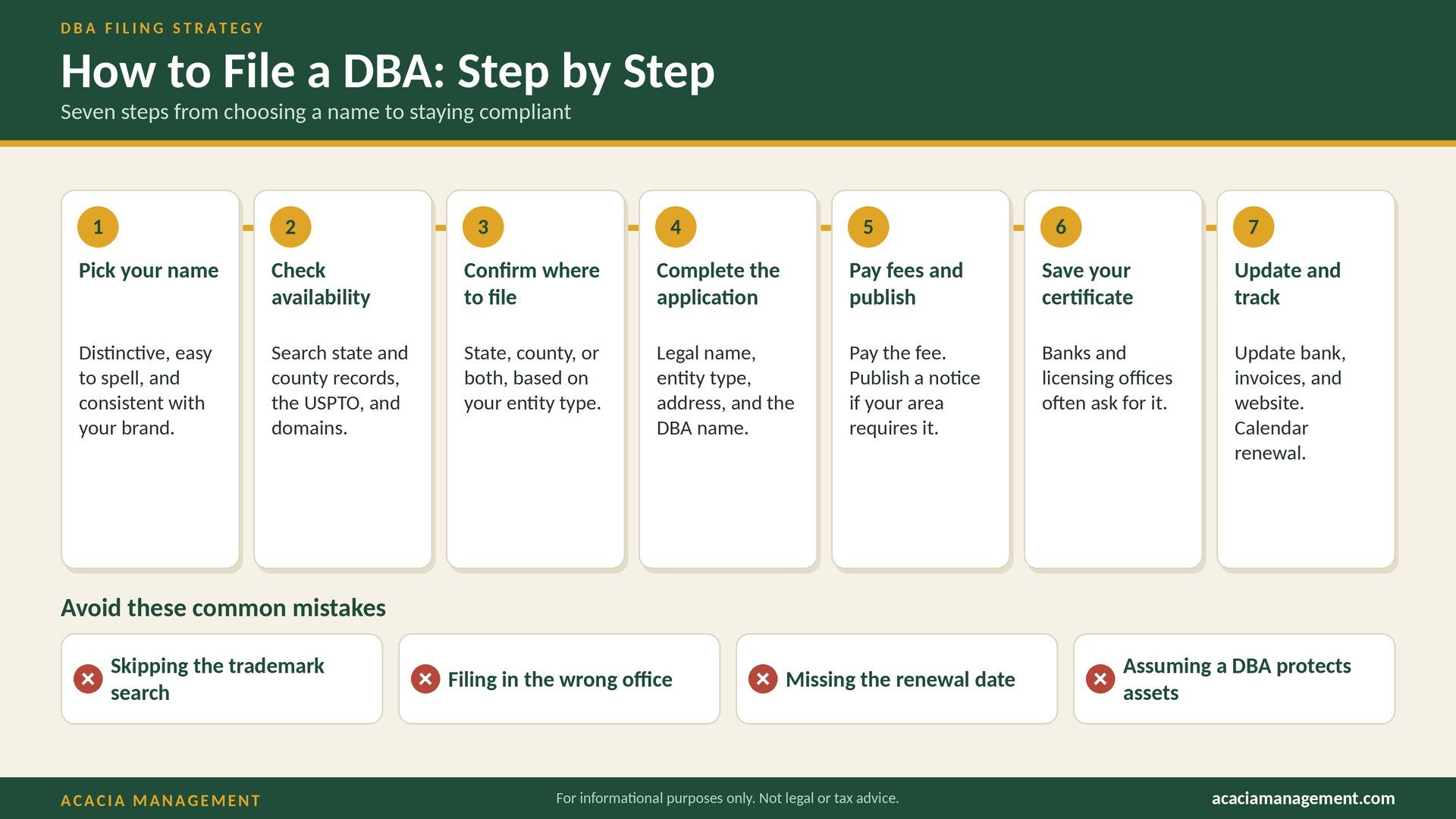

How to File a DBA, Step by Step
Filing a DBA is a straightforward process, but small mistakes, like skipping a trademark search or filing in the wrong office, can cost time and money. This guide walks through each step in order, with practical tips and common pitfalls.
Before you begin, make sure you understand what a DBA is and whether you need one
Before You Start: Gather What You Need
Have this information ready:
- Your legal name or your entity’s exact registered name
- Your entity type (sole proprietorship, partnership, LLC, corporation) • Your business address (a physical address is often required, not just a P.O. box) • The DBA name you want, plus one or two backups
- A description of your business activity (some forms ask for this) • For entities: your state file number or formation documents
- A payment method for fees
Step 1: Choose Your Name
Your name is your brand, so take time with it. Strong DBA names are:
- Distinctive. Avoid generic names like “Best Cleaning Service” that are hard to protect.
- Easy to spell and say. If customers can’t search for you, you lose business.
- Descriptive enough to communicate what you do, without limiting future growth.
- Compliant. Avoid restricted words and misleading designators (no “Inc.” or “LLC” unless that’s your actual structure).
- Consstent with an available domain name and social media handles. Brainstorm several options in case your first choice is taken.
Step 2: Check Name Availability
Check in layers.
- State business database. Search the Secretary of State or Division of Corporations records for registered entities and fictitious names.
- County records. If your county handles DBAs, search the clerk’s index.
- USPTO trademark database. The USPTO’s trademark search tool shows federal registrations and pending applications. A name can pass the state check but still conflict with a federal trademark.
- Domain and social media. Confirm you can secure a matching website and handles.
- General web search. Look for unregistered businesses using the same or a similar name. Common-law trademark rights can arise from actual use.
Skipping the trademark search is the single most common and costly DBA mistake. A rebrand after you’ve printed signs and built a customer base is far more expensive than a search up front.
Step 3: Confirm Where to File
Identify the correct office based on your location and entity type. As examples, California fictitious business names are filed with the county clerk, Florida registrations go through the state’s Division of Corporations, and Texas splits filings between counties and the state by entity type. If you operate in multiple counties or states, you may need multiple filings.
If you’re unsure, call your county clerk or check your Secretary of State’s website. See our compliance requirements guide for more detail.
Step 4: Complete the Application
Applications are available online in many jurisdictions and on paper in others. You will typically provide:
- Your legal name and entity type
- The DBA name
- Business address and mailing address
- Owner or partner names and addresses
- Nature of the business (where requested)
- Signature, and sometimes notarization
Double-check spelling, punctuation, and spacing. Errors in the filed name can require an amendment and new fees.
Step 5: Pay Fees and Meet Any Publication Requirement
Pay the filing fee as directed. If your jurisdiction requires publication (California does for county fictitious business name statements), then:
- Choose a qualifying newspaper in the correct county.
- Submit the notice text within the required deadline.
- Publish for the required number of weeks.
- Make sure the proof of publication is filed with the clerk.
Many newspapers offer a bundled publication-and-filing service, which can simplify the process.
Step 6: Receive and Store Your Certificate
Once approved, you’ll receive a certificate, stamped copy, or confirmation. Store it safely:
- Keep a digital copy in your business records
- Keep a printed copy with your corporate or formation documents • Order certified copies if your bank or a licensing agency requires them
Step 7: Update Your Accounts and Materials
Put your DBA to work:
- Open or update your bank account in the DBA name
- Update your business licenses and permits where required
- Update tax and payroll registrations so records match
- Update contracts, invoices, and receipts to show your legal name and DBA (for example, “Jane Smith, doing business as Green Edge Lawn Care”)
- Update your website, email signatures, and marketing materials • Notify insurers so policies list your operating name
Step 8: Track Renewals and Changes
Add the expiration date to your calendar, with a reminder at least 90 days ahead. File amendments if your address, owners, or entity type change. If you stop using the name, file a withdrawal or abandonment where your state provides one.
Common Mistakes to Avoid
- Skipping the trademark search. State approval doesn’t clear you against federal trademarks.
- Assuming a DBA protects your assets. It doesn’t. Consider an LLC if liability is a concern.
- Filing in the wrong office. This wastes fees and delays registration.
- Missing publication deadlines. Where publication is required, your registration may be incomplete without it.
- Letting the DBA expire. Lapses can affect banking and legal standing.
- Using inconsistent names. Different spellings across documents create confusion and compliance problems.
- Forgetting to update records after changes in ownership or address. DIY vs. Using a Professional
You can file a DBA yourself, and many owners do. A professional may be worth it when you:
- Operate in multiple states or counties
- Need name searches and trademark screening
- Have a complex structure, such as multiple entities or brands
- Want deadlines tracked without managing them yourself
- Would rather spend your time running the business
Acacia Management handles name searches, filings, publication coordination, and renewal tracking. [Learn about our DBA filing service: Internal link: /services/dba-filing]
Frequently Asked Questions
How long does DBA filing take? Online filings can be processed in days. Paper filings and publication requirements can stretch the timeline to several weeks.
How much does it cost? Fees vary widely by jurisdiction and whether publication is required. Check your filing office’s current fee schedule.
Can I file more than one DBA? Generally yes. Each name requires its own registration.
Do I need a DBA if I have an LLC? Only if you operate under a name other than the exact name on your formation documents.
Does a DBA protect my brand? No. For brand protection, look into federal trademark registration.
Key Takeaways
- Choose a distinctive, compliant name, and check availability at the state, county, and federal trademark levels.
- File in the correct office, complete publication if required, and store your certificate. • Update your bank, licenses, and marketing materials, and track renewals.
Next Steps
Need help? Contact and we’ll take it from here. For broader planning, to make sure a DBA is part of the right overall structure. For official guidance, visit https://www.sba.gov
This article is for informational purposes only and does not constitute legal or tax advice.
Expand your knowledge of asset protection, business planning, taxation, and private trusts. Explore the available books on Amazon.